


Buy Your eSIM
Select your destination and purchase a data plan.
Your cart
| Country | Operator |
|---|---|
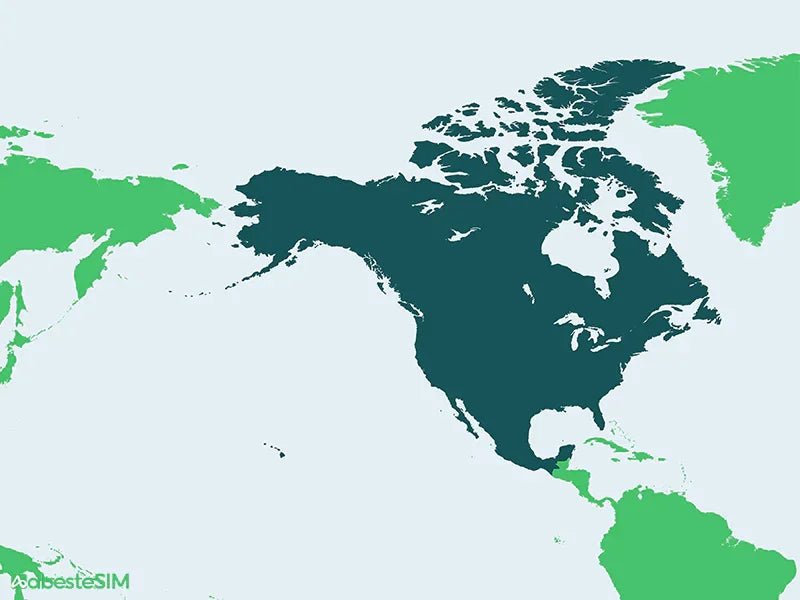
| United States USA | AT&T (5G) |
| Canada | Bell (4G), Rogers (4G) |
| Mexico | AT&T Mexico (4G) |
Couldn't load pickup availability
 Instant Activation: Instant QR code delivery via email
 High-Speed Network: Fast 4G/5G speeds with top carriers
 Global Coverage: Covering over 200 countries and regions

⚠️ IMPORTANT: EXCLUSIVELY FOR iPHONE USERS This specialized eSIM is optimized for iPhone hardware and iOS architecture. Using this product on Android or other devices carries a high risk of service failure or total unuseability. Please ensure your iPhone is carrier-unlocked before purchase.
Experience the thrill of the World Cup without ever worrying about data caps. From the opening whistle in Mexico City to the historic finals in New York/New Jersey, abesteSIM provides the high-speed, unlimited connectivity that true fans demand.
Don't just watch the game—share it! Stream live match reactions, upload 4K stadium vibes to TikTok, and stay connected with fellow fans across the continent.
🇺🇸 USA (AT&T [5G / LTE]): UNLIMITED DATA. Enjoy the fastest 5G speeds on America's most reliable network.
🇲🇽 Mexico (AT&T Mexico [4G / LTE]): UNLIMITED DATA. Seamless roaming from the stadiums to the beaches.
🇨🇦 Canada (Bell & Rogers [4G / LTE]): 25GB High-Speed Per 30Days . A powerhouse of data that covers even the heaviest streaming and social media usage.
Local +1 AT&T US Phone Number: Comes with a dedicated US number—essential for Uber/Lyft rides, restaurant reservations, and stadium ticketing apps.
Stadium-Grade Connectivity: We partner with industry leaders (AT&T, Bell, Rogers) to ensure you have a signal in high-density crowds where standard roaming fails.
Instant Kick-off: No airport queues or physical SIMs. Scan your QR code and get online the second you touch down in North America.
⚠️Please install your eSIM only after arriving in United States & Canada & Mexico. Installing it abroad may render the eSIM invalid.
Please install your eSIM only after arriving in United States & Canada & Mexico, as it works exclusively on United States & Canada & Mexico. If the eSIM is installed outside United States & Canada & Mexico, some devices may encounter activation issues, causing the eSIM to become invalid and unusable upon arrival in United States & Canada & Mexico.
Your eSIM will be activated on the date you select.
Service is activated based on your selected date by 9:00 AM Pacific Time (PT).
Please select a date at least 24 hours in advance. If you select "Today" as your activation date, processing may be delayed until the following day.
Hotspot/Tethering will NOT function in Canada & Mexico.
3-Step Simple Installation

Select your destination and purchase a data plan.

Get a QR code via email with simple instructions. Add the eSIM in minutes.

Activate upon arrival and enjoy fast, seamless internet wherever you go.
An eSIM is a digital SIM built into a compatible phone or tablet. A travel eSIM lets you add a prepaid mobile data plan without replacing your physical SIM. After purchase, abesteSIM emails a QR code and activation details so you can install the plan and connect at your destination.
Most newer phones from Apple, Samsung, Google, Huawei, and others support eSIM.
Go to your device’s Settings, and look under SIM card or Mobile network sections. If your device supports eSIM, you’ll see an option to add, activate, or manage an eSIM.
Dial *#06# — if your device shows an EID number, that's a good indication that it supports eSIM.
You can also check our device compatibility list to confirm.
To check your eSIM data usage, follow these general steps — note that exact steps may vary depending on your device and eSIM provider:
Visit https://abestesim.com/pages/esim-usage-checker to access the eSIM Usage Checker dashboard, where you can view your remaining data and usage details.
You’ll receive an email with your QR code, SM-DP+ server address, and activation code immediately after payment received.
You can also view your eSIM details on your Order History page.